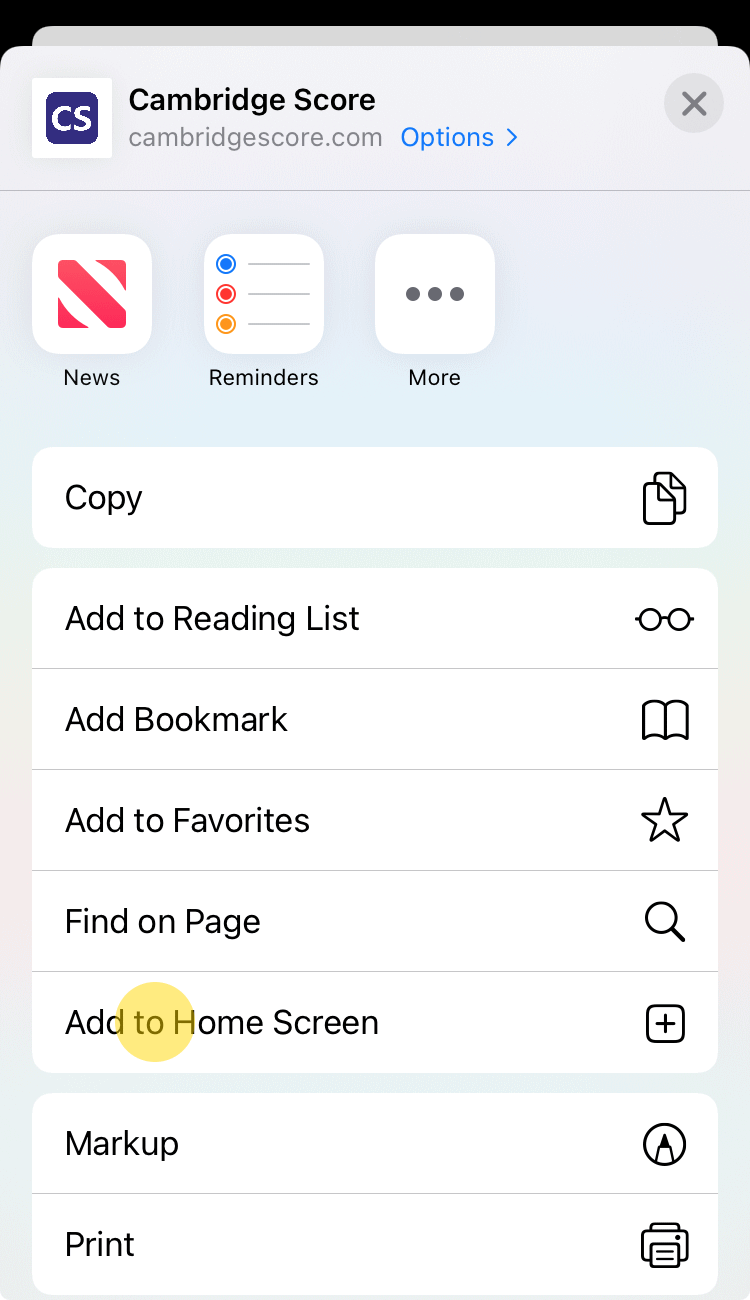
Safari for iOS
- Tap on the button.
- In the opened menu select the "Add to Home Screen" item.

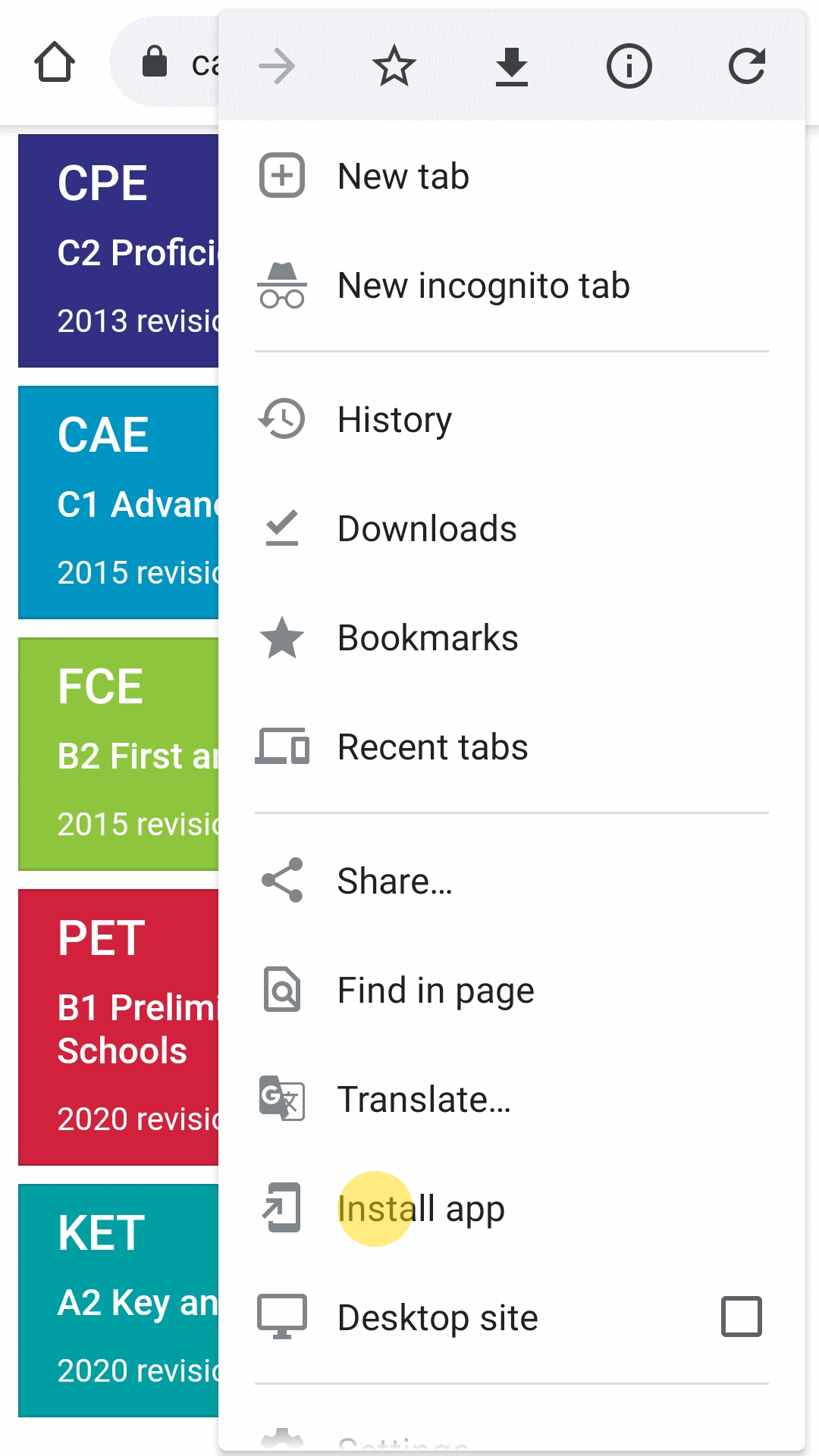
Chrome for Android
- Tap on the button.
- In the dropped down menu select the "Install app" item.

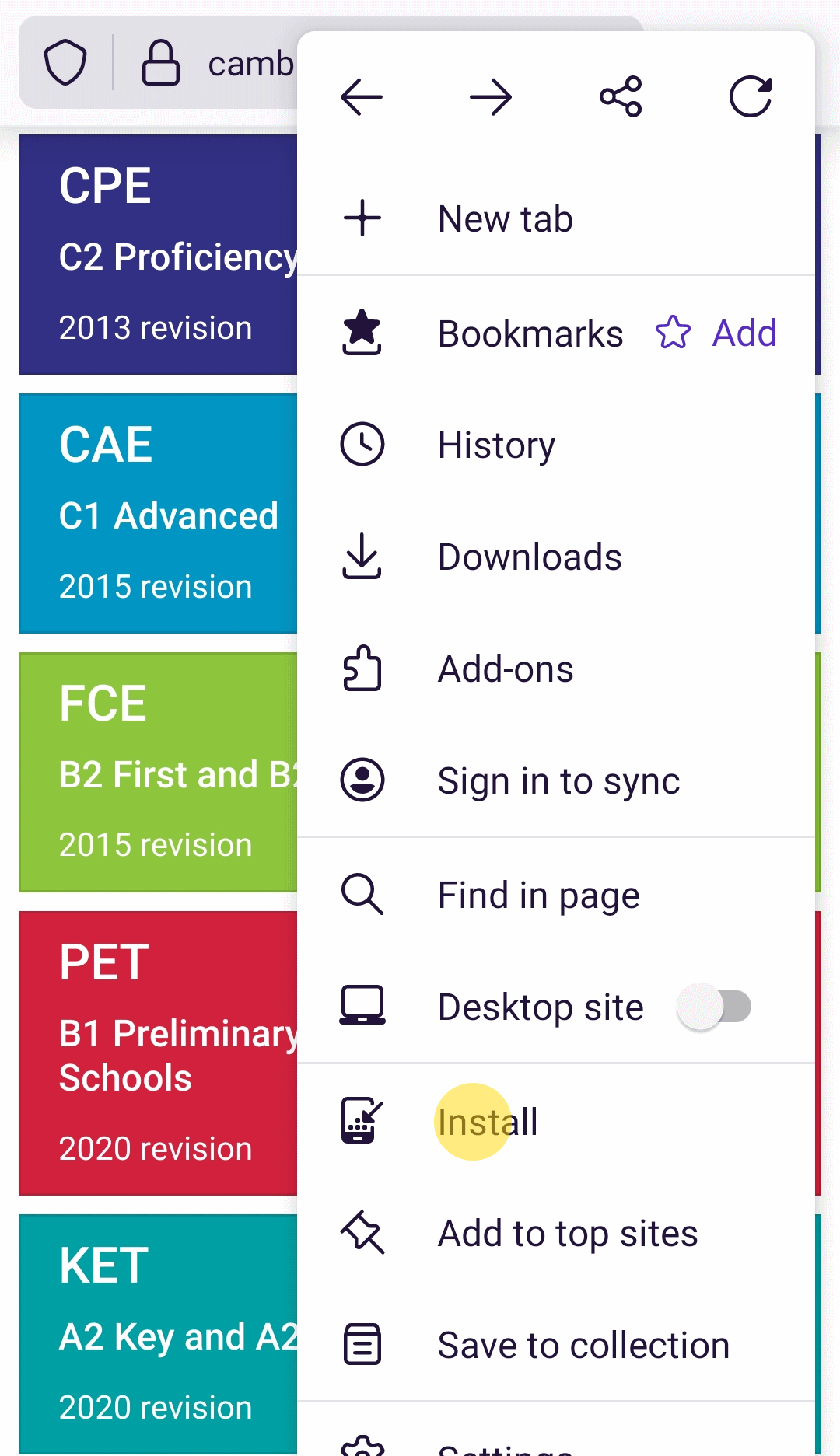
Firefox for Android
- Tap on the button.
- In the dropped down menu select the "Install" item.

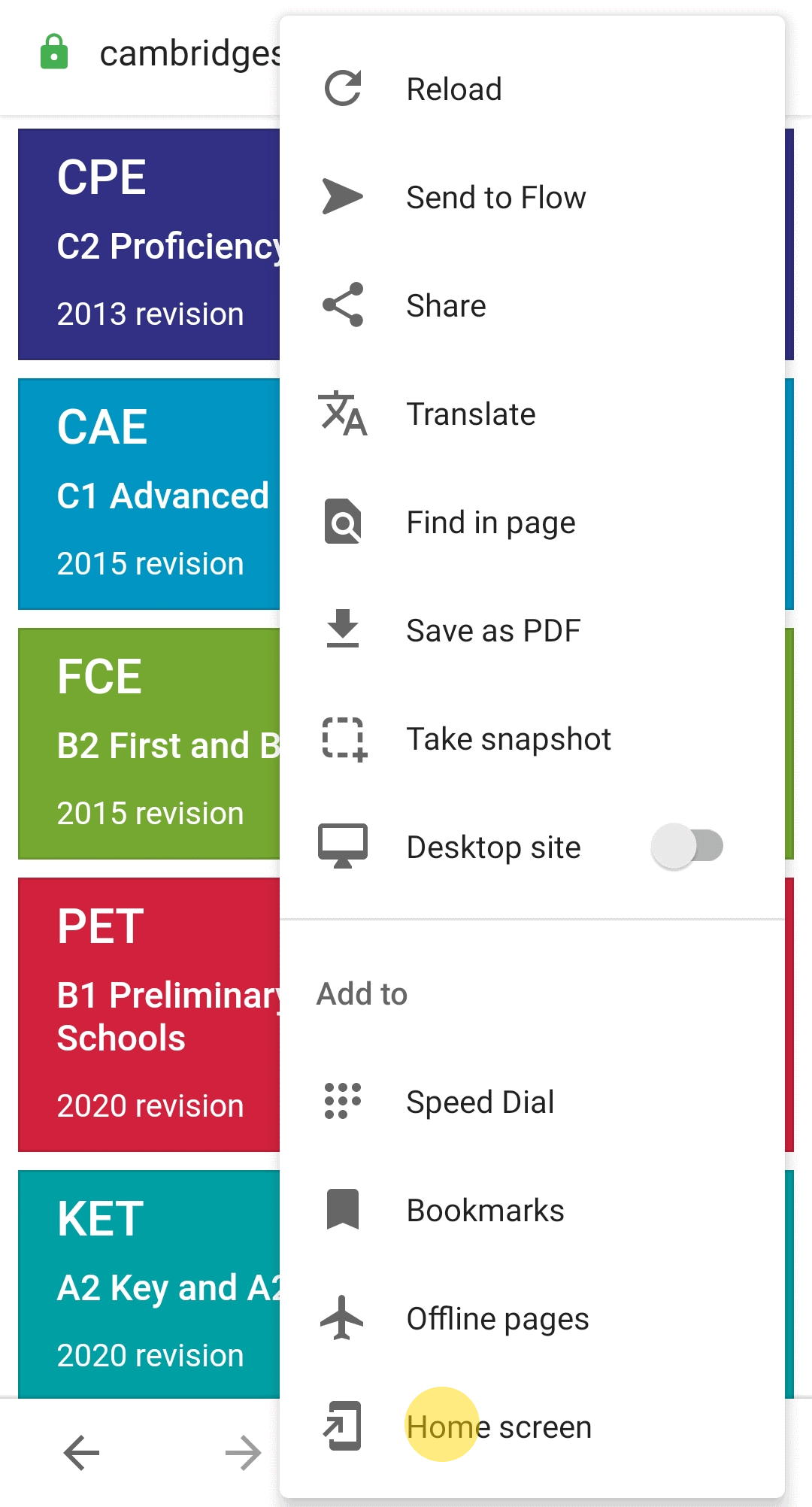
Opera for Android
- Tap on the button.
- In the dropped down menu select the "Home screen" item.

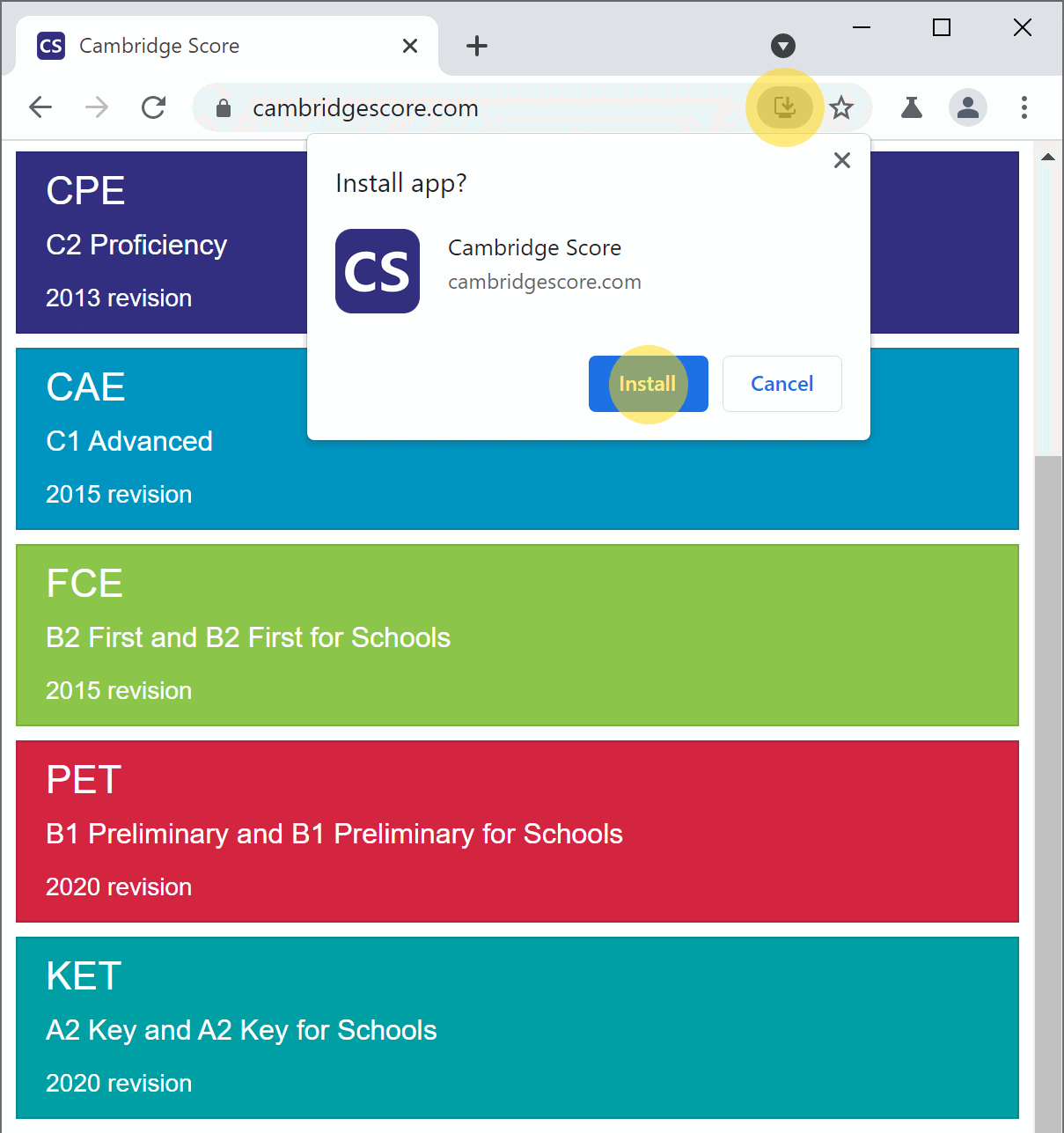
Chrome Desktop
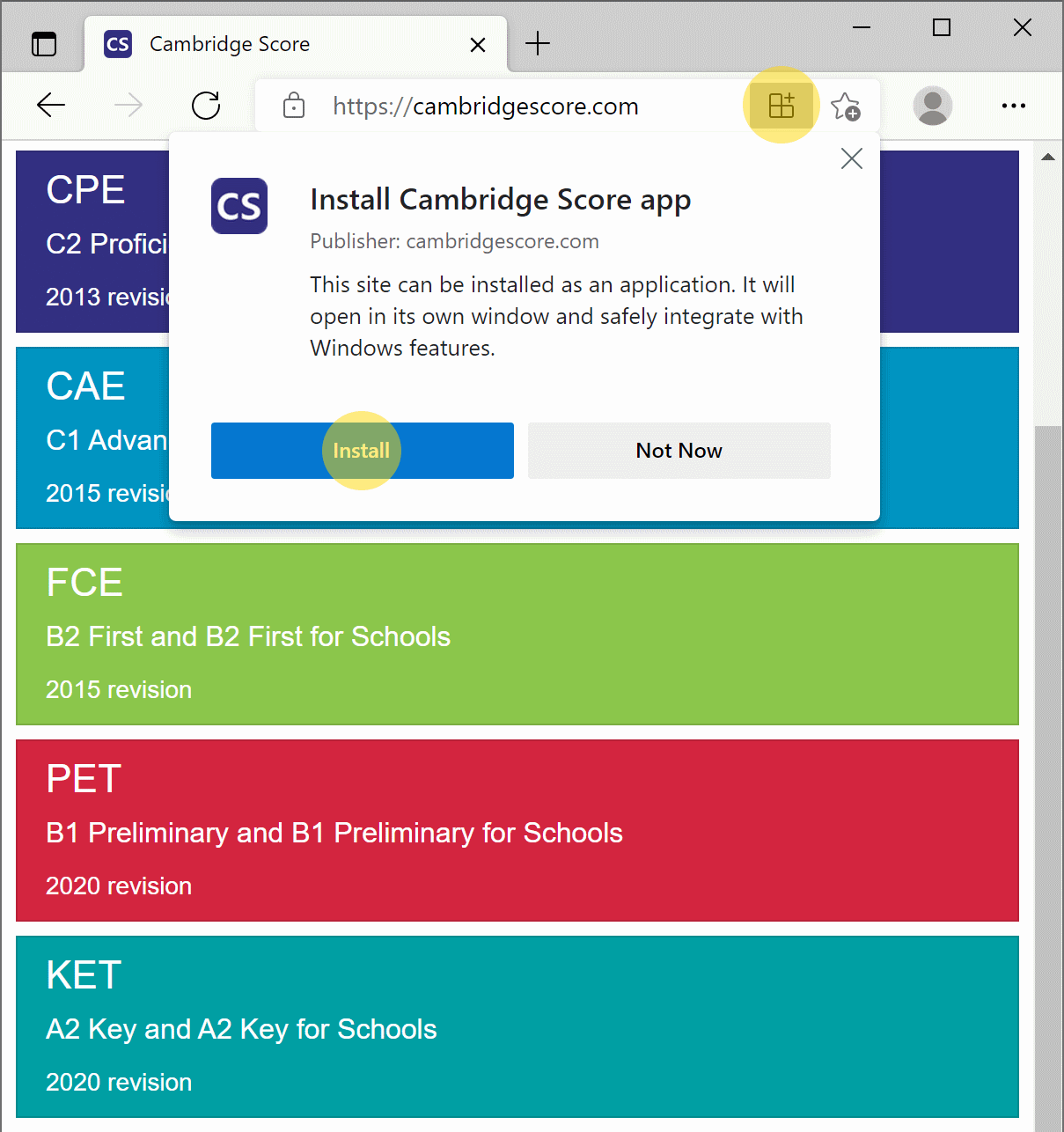
- Click on the install icon in the address bar.
- In the opened dialog press the "Install" button.
Edge Desktop
- Click on the install icon in the address bar.
- In the opened dialog press the "Install" button.